




Secure Mobile Devices
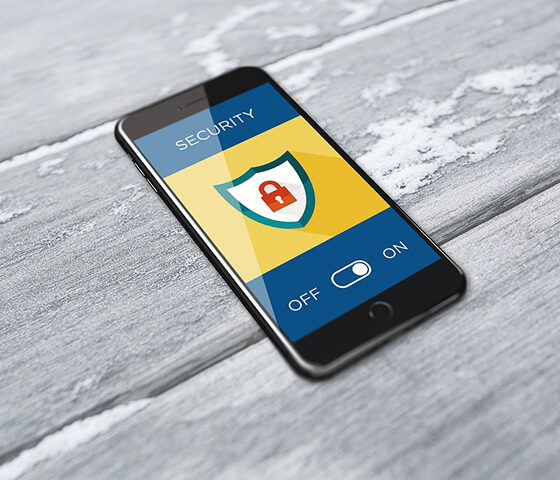
The Challenge: Keeping All Your Mobile Devices Secure Across a Diverse, Distributed Fleet
Smartphones and tablets aren’t secondary devices anymore, they’re how your employees access email, authenticate into business systems, share documents, and work remotely. That makes every mobile device a direct gateway to your enterprise environmentand every unsecured device a potential risk. The attack surface is expanding faster than most security teams can manage:
- Phishing attacks now reach your users through SMS, malicious apps, and spoofed login pages — not just email. These “mobile targeted” attacks are more convincing and harder to detect on a smaller screen.
- Your devices connect through networks outside your control: public Wi-Fi, home networks, mobile carriers — each introducing potential exposure.
- A mix of iOS and Android devices, corporate-owned and BYOD, makes consistent policy enforcement a daily challenge.
- Personal and professional use on the same device creates data leakage paths through personal apps, cloud storage, and messaging platforms.
- Devices are often deployed without enforced security policies in place, not by choice, but because configuring and maintaining them across a distributed fleet requires more capacity than most IT teams have available.
The problem isn’t a lack of tools, UEM (Unified Endpoint management) and MTD (Mobile Threat Defense) solutions exist. The challenge is that deploying, configuring, and maintaining across a diverse, distributed fleet requires dedicated expertise and capacity that most IT teams can’t easily absorb alongside their existing responsibilities.
Why This Becomes a Priority
Key Considerations
Securing your mobile fleet requires addressing operational challenges that go well beyond deploying a single tool.
| Operational Challenge | Impact on Security | What to Address |
|---|---|---|
| Diverse device models and ownership types (corporate, BYOD) | The mix of iOS, Android, corporate-owned, and BYOD devices makes consistent policy enforcement difficult — leaving security that is hard to manage at scale | Centralize device management through a Unified Endpoint Management (UEM) platform that enforces security policies consistently across all device types. |
| Uncontrolled application usage | Unverified apps increase the risk of malware, data leakage, and unauthorized access to enterprise resources. | Control which apps can be installed, restrict permissions, and provide a managed app catalog for approved applications. |
| Blurred personal and professional use | On BYOD and mixed-use devices, corporate data can leak through personal apps, messaging, and unsecured cloud storage. | Isolate business data in an encrypted container and enable selective wipe that removes corporate data without touching personal content. |
| Limited threat detection and response capability | Phishing, malware, and network-based attacks can go undetected without real time monitoring on mobile endpoints. | Deploy mobile threat defense (MTD) to detect, assess, and block risky behavior in real time — before an incident escalates. |
How Saaswedo Approaches This
Saaswedo doesn’t sell you a UEM license and expect your IT team to operate it. We manage your mobile security environment daily, through certified administrators who handle everything from policy definition to incident response. Our managed UEM service deploys and operates the platform best suited to your environment. We define security policies with your IT and security teams, automate device enrollment, manage app distribution and configuration, monitor fleet compliance in real time, and respond to security incidents (remote lock, selective wipe, device isolation) on your behalf.
Saaswedo’s endpoint management is fully integrated with inventory, provisioning, helpdesk, and end-of-life services in mytem360, so your mobile security is connected to the broader fleet lifecycle. When a device is ordered, it’s enrolled automatically. When an employee leaves, the device is wiped and tracked through to return.
The result: a consistently secured mobile fleet, managed by specialists, with full compliance visibility, and your IT team focused on higher priorities
Related Saaswedo Services
Explore the services that secure and manage your mobile fleet:
Endpoint Management: MDM/UEM
Security policies, automated zero-touch enrollment, compliance monitoring, and incident response.
Specialized Mobility Helpdesk
A specialized multilingual mobile support desk staffed by iOS, Android, and MDM experts who offer L1/L2 Support.
Frequently Asked Questions
Contact us
Request a meeting with our experts
Whether you need a telecom audit, an assessment of your mobile asset inventory, or a full governance roadmap, our team will tailor its approach to your specific context and challenges.